
eazle extra’s - April
Enhancing your reordering experience
April is a great time to streamline your ordering routine as trade picks up after Easter and early summer approaches. Using the Favourites feature helps you reorder your most common products quickly and avoid missing key items during busy weeks. It saves time, keeps your bar organised, and makes weekly ordering more predictable as you prepare for bank holidays and rising seasonal demand.
Creating your Favourites
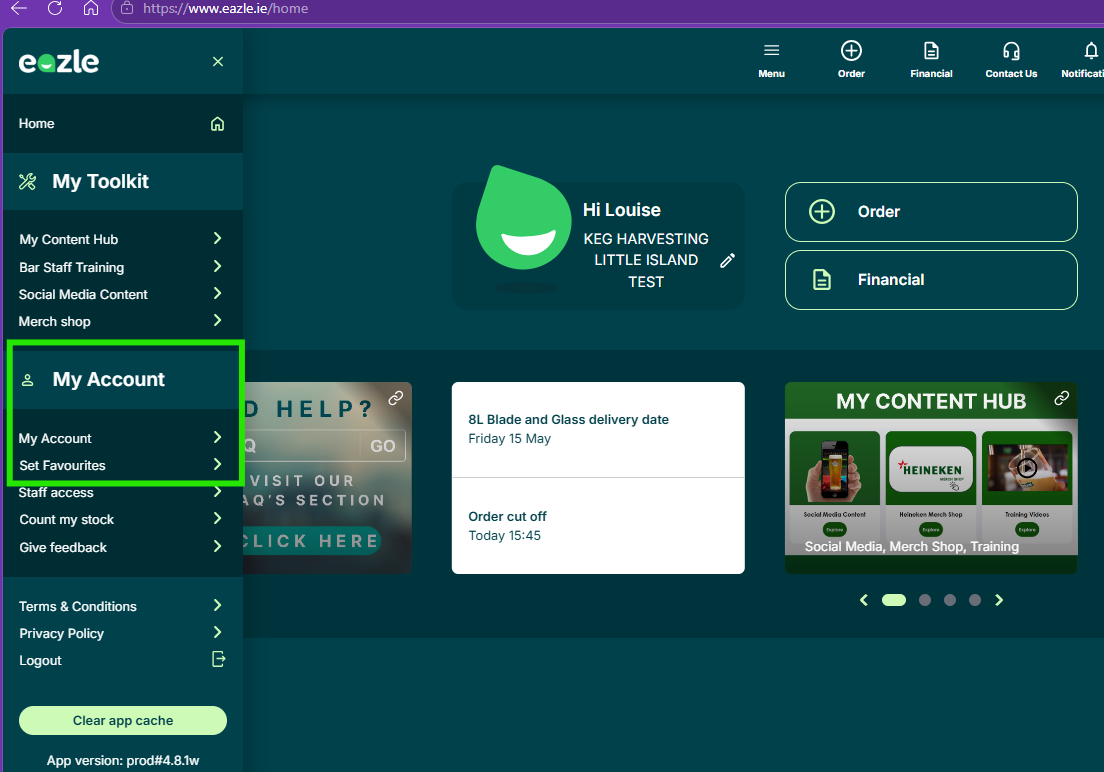
Go to My Account → Set Favourites to view or edit your list. To add items, select Add Product, search using the magnifying glass, and set the quantity to 0 - you’ll see a confirmation pop‑up. To remove an item, tap the ‘X’ beside it.
Adding Favourites While Ordering
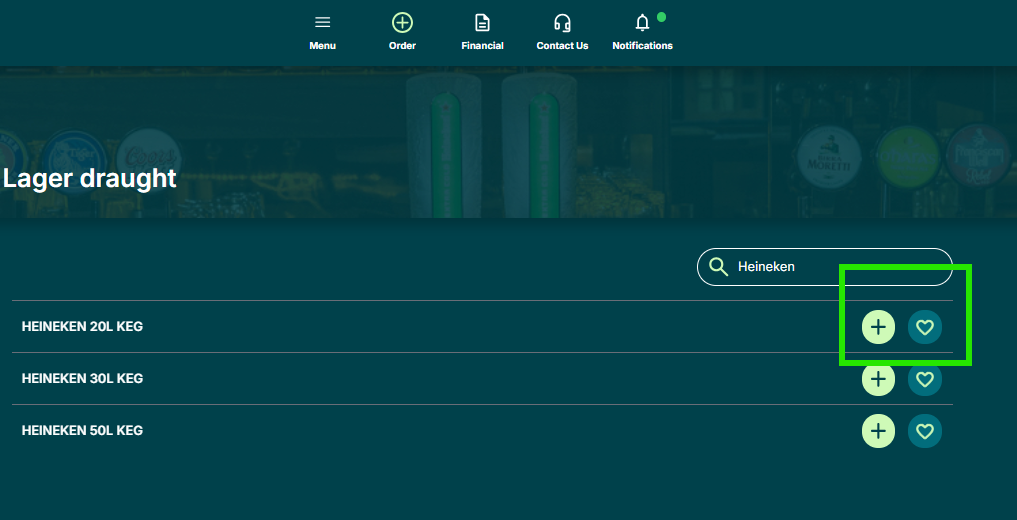
When searching for products during an order, simply tap the heart icon to save them to your Favourites for next time. You can find products using Add Product at the bottom of the screen or by using the search bar at the top.
Using Your Favourites
Next time you log in and click Order, your Favourites will appear automatically - enter the quantities you need and proceed to checkout.
Thanks from the eazle & customer services team
Powered by HEINEKEN
How to add your top products to favourites